Wio Terminal I2C 接口
本文主要介绍如何使用 Wio Terminal 上的 Grove I2C 端口,借助这个端口,开发者可以轻松连接 Grove 生态系统中许多传感器和外设,以满足你的设计需求。
引脚配置
要在 Wio Terminal 上使用 Grove I2C 端口,只需将使用 I2C 通信接口的 Grove 传感器连接到 Wio Terminal 上的物理 I2C 端口即可。
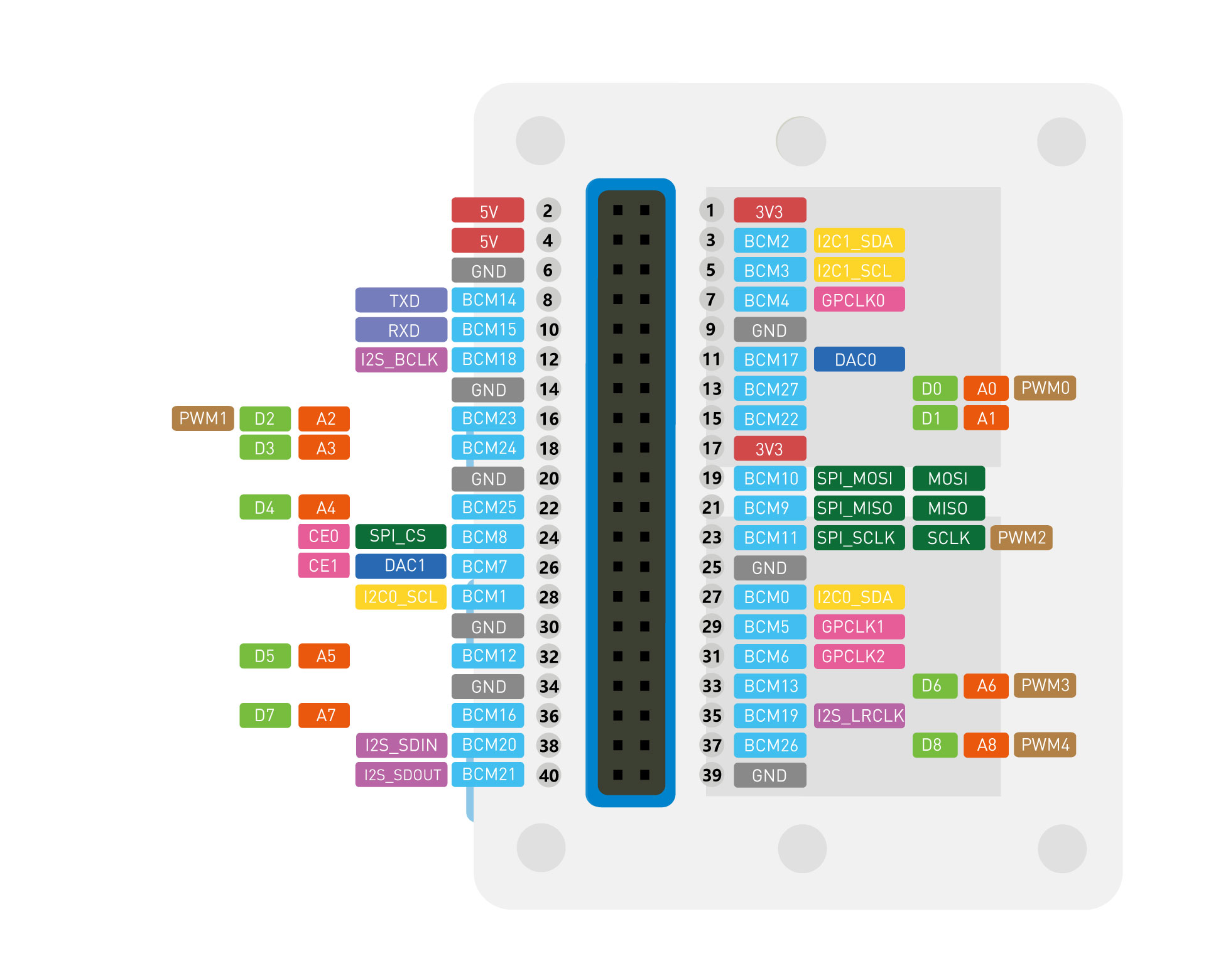
Wio Terminal 中有两组 I2C 接口,在 variant.h 中的定义如下:
#define PIN_WIRE_SDA (46ul)
#define PIN_WIRE_SCL (45ul)

#define PIN_WIRE1_SDA (78ul)
#define PIN_WIRE1_SCL (77ul)
两组 I2C 接口都在 RPI 引脚上引出,其中 I2C1 还引出到 Grove 端口,方便连接 Grove 连接器的外设。
示例代码
下面示例代码使用 Grove LCD 模块进行演示,这个 LCD 模式使用 I2C 接口通信,通过 RGB LCD 库可以简单、快速地操作它。
#include <Wire.h>
#include "rgb_lcd.h"

rgb_lcd lcd;

const int colorR = 255;
const int colorG = 0;
const int colorB = 0;

void setup()
{
    // set up the LCD's number of columns and rows:
    lcd.begin(16, 2);

    lcd.setRGB(colorR, colorG, colorB);

    // Print a message to the LCD.
    lcd.print("hello, world!");

    delay(1000);
}

void loop()
{
    // set the cursor to column 0, line 1
    // (note: line 1 is the second row, since counting begins with 0):
    lcd.setCursor(0, 1);
    // print the number of seconds since reset:
    lcd.print(millis()/1000);

    delay(100);
}