Git 安装配置
安装
Windows
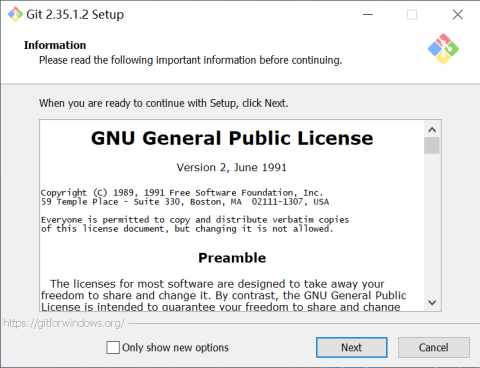
在 https://git-scm.com 页面下载对应版本 Git 工具,或者在内网文件服务器 \\10.1.135.8\导远内网文件服务器\9-安装软件\设计软件\开发工具 中找到 Git 安装包,双击该 exe 文件安装 Git 版本管理工具。
Linux
如果你在基于 Debian 的发行版上,如 Ubuntu,可以使用 apt 来安装。
sudo apt install git
如果你在基于 RedHat 的发行版,比如 CentOS 或 Fedora,可以使用 dnf 来安装。
sudo dnf install git
上述命令安装的是 Git 的最小依赖版本,如果需要完整版本则安装 git-all。
配置
安装完成后,在“开始”菜单中会增加 Git GUI 和 Git CMD 两个软件。点击 Git CMD 打开 Git 命令行工具,配置用户名和邮箱信息。如下所示:
git config --global user.name "xyz"
git config --global user.email "xyz@ag.com"
注意:将 xyz 替换成你的名字。
为了更加安全和便捷,建议配置 SSH Key。具体配置方法如下:
在 Git CMD 中输入如下命令,生成 SSH 密钥对。
ssh-keygen -t ed25519 -C "xyz@ag.com"提示:-C 后面的参数是 Key 的标识字符串,建议使用你的邮箱地址。
连续按回车,将在本地的 ~/.ssh 目录保存密钥对 id_ed25519 和 id_ed25519.pub。
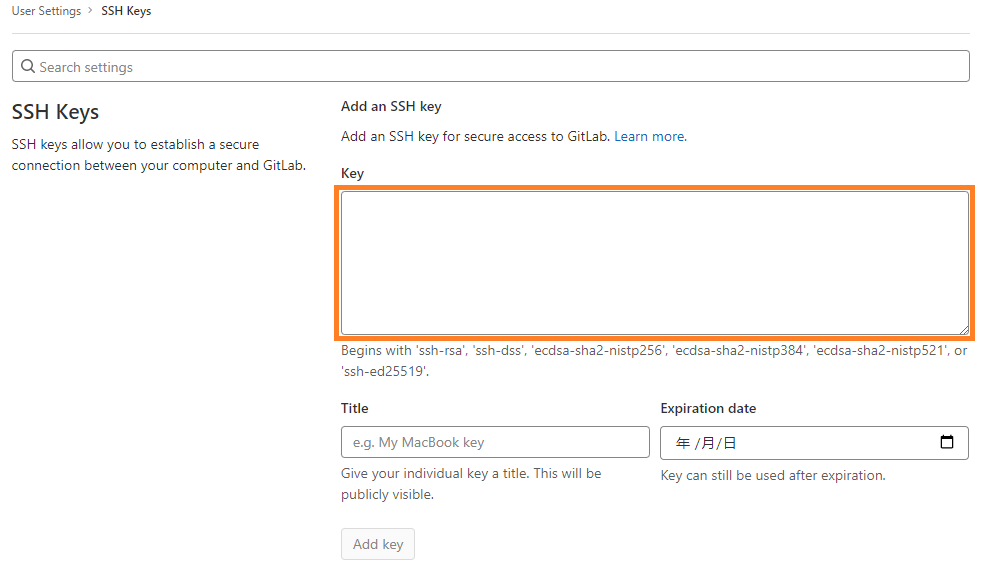
打开 http://gitlab.ag.com,点击右上方头像处,选择 Edit profile,然后选择左侧边栏的 SSH Keys。如果你是新用户,可以直接点击 Gitlab 上方的 “Add SSH key” 提示按键。

然后将 SSH 公钥 id_ed25519.pub 的内容粘贴到 Key 的位置,点击 “Add key” 按钮完成添加。
提示:可在 Git CMD 中通过
cat id_ed25519.pub命令查看公钥内容。
操作
下面以 AsensingViewer 仓库为例进行演示。
克隆仓库
主仓库
git clone git@gitlab.ag.com:fusionposition/software/lidar/asensingviewer.git
个人 fork 仓库
git clone git@gitlab.ag.com:luhuadong/asensingviewer.git
注意:内网域名是 gitlab.ag.com
添加上游仓库
git remote add upstream git@gitlab.ag.com:fusionposition/software/lidar/asensingviewer.git
提交更新
git add .
git commit -m "first commit"
git push origin main